
Microsoft Project Desktop Training: “Zero to Hero” Course

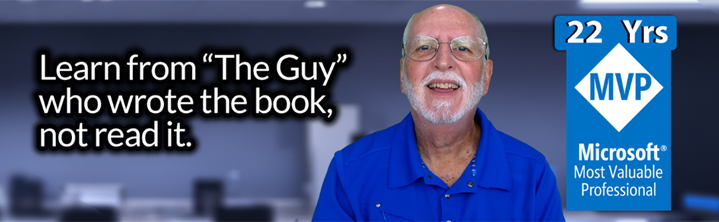
Hello there, my future students!
I designed this Microsoft Project Desktop Training to give you a truly hands-on learning experience—one that’s practical, easy to follow, and focused on real project work. Whether you join me on-demand, live online, or in person, you’ll learn proven techniques, best practices, and step-by-step methods that will help you manage your schedules with confidence and skill. – Dale Howard MVP
What You Get in Every Training Format
No matter how you choose to learn—on-demand, virtual, or in-person—you’ll receive the complete set of tools and materials designed to help you succeed with Microsoft Project Desktop:
- Hands-On Exercise Files: Follow along using the same Project files Dale uses during training.
- 100+ Page PDF Training Manual: A detailed, step-by-step guide you can reference anytime.
- Custom “Cheat Sheet” Ribbons & Toolbars: Dale’s personal Quick Access Toolbar and ribbons to help you work faster.
- Practice Activities: Reinforce what you learn with guided exercises and real-world examples.
- Certificate of Completion: Show your employer or clients you’ve built new scheduling skills.
Additional Benefits by Delivery Format:
- On-Demand: Includes 69 high-definition video lessons (3–7 minutes each).
- Virtual & In-Person: Includes live Q&A with Dale, with opportunities to ask questions during each session and during breaks.
See the full syllabus →
Watch video samples →
Three Ways to Get Your Microsoft Project Desktop Training
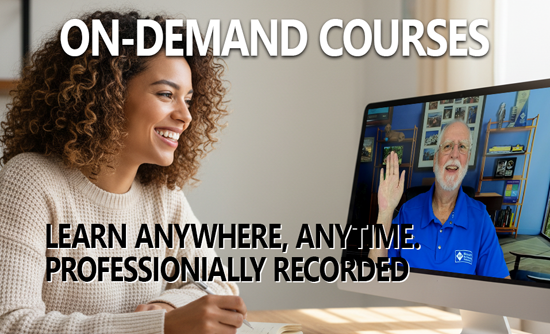
On-Demand Course
Start learning right away with instant access to all video lessons and course materials. Work at your own pace as you follow step-by-step demonstrations, downloadable examples, and guided practice exercises. Most students complete the full course in 20 hours or less, making this the fastest way to master Microsoft Project Desktop on your own schedule.
Includes the complete curriculum and all downloadable course materials.
Virtual Instructor-Led Training
Learn Microsoft Project Desktop in a live, interactive online class taught directly by Dale. This format is ideal if you want real-time instruction, the ability to ask questions as you learn, and hands-on practice with immediate feedback. Virtual training follows the same complete curriculum and includes all downloadable course materials.
Perfect for individuals or teams who want an instructor-led experience without bringing Dale onsite.

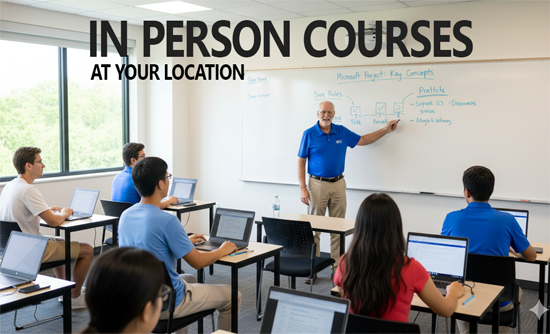
In-Person Training at Your Location
Bring me onsite for a hands-on, instructor-led workshop tailored to your team’s needs. In-person training is ideal for PMOs or project teams who want focused, collaborative learning with plenty of opportunities for discussion, questions, and real-world examples. This format follows the same complete curriculum and includes all course materials, with the added benefit of face-to-face instruction and team interaction.
Best suited for organizations training multiple users who want a highly engaging classroom experience.
💻 Is This the Right Course for You?
This course is specifically designed for Microsoft Project Desktop users.
You should take this course if:
✅ You use Project Standard or Project Professional.
✅ Your project files are saved on your local computer or a shared network drive.
✅ You are NOT connecting to Project Server, Project Web App (PWA), or Project Online.
✅ You want to master the fundamentals of scheduling, resourcing, and tracking.
(Note: If you use Project Online or PWA, you should check out my Enterprise Training Course instead.)
Syllabus + Samples
Course Description
This “hands on” self-paced eLearning course teaches the foundational knowledge required to effectively manage “process agnostic” enterprise projects using Microsoft Project. Our “keep it simple” training approach allows students to master the vital skills they need to effectively plan and manage an enterprise project using Microsoft’s PPM (Project Portfolio Management) tools.
- 69 Bite-Sized Videos: No fluff, just actionable lessons ranging from 3-7 minutes.
- 10 Power-Packed Modules: Each designed to level up your Microsoft Project skills.
- 15 Real-World Project Files: Learn the features that matter, straight from a seasoned expert.
We didn’t throw this course together over a weekend. This curriculum is the result of a year of refinement and 25 years of teaching.
I’ve organized the course into 10 Comprehensive Modules that guide you through the natural lifecycle of a project.
Part 1: Building the Plan (Modules 01-06)
First, we build the foundation. I’ll teach you how to navigate the interface, set up your calendars, and build a schedule that mimics reality. By the end of Module 06, you will have a “locked-in” Baseline.
Part 2: Execution & Reporting (Modules 07-10)
A plan is useless if you can’t track it. In the second half of the course, we shift gears. You’ll learn how to enter updates, handle delays (variance), and generate reports that keep your stakeholders happy. See the Full Syllabus
Audience
This course is focused on the core needs of project managers, project schedulers, and project coordinators who use Microsoft Project desktop to manage projects.
Course Pre-Requisites
Each student must have a copy of one of the following installed on his/her PC:
– Microsoft Project 2016 or higher
Versions of Microsoft Project earlier than the 2016 version do not qualify for this course.

Ready for Your Training?
Choose your Microsoft Project training course delivery method
Full Course Syllabus
Module 01: Microsoft Project Overview
- Working with the User Interface
- Understanding the Gantt Chart View
- Understanding the Microsoft Project Data Model
- Understanding and Using Views
- Understanding and Using Tables
- Understanding and Using Filters
- Understanding and Using Groups
- Project Navigation Tips
Module 02: Working with a New Project
- Creating a New Project
- Creating a New Project from a Template
- Creating a New Project from a Personal Template
- Working with the Standard Calendar
- Add Holidays to the Standard Calendar
- Create a Custom Calendar
- Copy Calendars to the Global.mpt File
- Defining a New Project
- Set the Project Start Date
- Enter Project Properties
- Display the Project Summary Task
- Set the Project and Nonworking Time Calendars
- Set Project Options
- Save the Project
Module 03: Task Planning
- Understanding Manually Scheduled vs. Auto Scheduled Tasks
- Creating the Task List
- Creating Summary Tasks
- Creating Milestone Tasks
- Entering Duration Estimates
- Specifying Task Dependencies – Overview
- Specifying Task Dependencies in a Real World Project
- Applying Task Constraints
- Applying Deadline Dates
- Applying a Task Calendar
- Using Cell Background Formatting to Highlight Tasks of Interest
Module 04: Resource Planning
- Understanding Project Resource Types
- Creating a Work Resource
- Creating a Generic Resource
- Editing a Work Resource
- Creating a Material Resource
- Creating Budget and Expense Cost Resources
Module 05: Assignment Planning
- Assigning Resources to Tasks: Best Practices
- Assigning Resources to Tasks Using the Task Entry View
- Assigning Resources to Tasks Using the Assign Resources Dialog
- Assigning Material Resources
- Assigning Budget Cost and Expense Cost Resources
Module 06: Completing the Project Schedule
- Performing a Quality Check on the Project Schedule
- Saving and Backing Up a Baseline for the Project
Topical Outline: Execution Training
Module 07: Capturing Task Progress
- Setting the Status Date for the Project
- Manually Entering Task Progress
Module 08: Working with Task Updates
- Rescheduling Incomplete Work from the Past
Module 09: Variance Analysis, Plan Revision, and Change Control
- Analyzing Project Variance
- Revising a Project Schedule
- Adding New Tasks to a Project through Change Control
- Updating the Project Baseline
Module 10: Project Reporting
- Creating a Timeline View
- Formatting the Timeline View
- Exporting the Timeline View to Another Application
- Viewing a Dashboard Report
- Editing a Table in a Dashboard Report
- Editing a Chart in a Dashboard Report
Ready for Your Training?
Choose your Microsoft Project training course delivery method
Why Learn from Dale Howard?
You can find plenty of free videos on YouTube, but bad advice is expensive.
- 22 Consecutive Years as an MVP: I’ve held the Microsoft Project MVP title since 2003.
- I Wrote the Book (Literally): I have authored and co-authored over 20 books on Microsoft Project, Project Online and Project Server.
- Real-World Focus: I don’t teach “theory.” I teach you how to handle real deadlines, real resource conflicts, and real reporting requirements.
Best Instructor Ever!
Dale Howard has been a Microsoft Project MVP (Most Valuable Professional) for 22 years in a row. When top-tier organizations entrust their training needs to me, it’s a clear indicator of the quality and value I bring to the table.
In a nutshell, while there are numerous Microsoft Project Training Courses out there, my holistic approach, combined with years of experience and dedication, truly sets my offerings apart. If you still have doubts, check out my YouTube channel.
Testimonials
See what people have to say about my training.
★★★★★
Highly recommended!
Dale Howard’s Microsoft Project class was a revelation. His depth of knowledge and engaging teaching style made complex concepts easy to understand. The class structure was perfect for an online setting, and I never felt lost or overwhelmed. Dale’s patience and expertise have equipped me with the skills I need to excel in project management. A truly invaluable experience!

Carlos E
Construction Project Manager
Chicago, IL
★★★★★
Why didn’t we learn this years ago?
Attending Dale Howard’s Microsoft Project training was a career-defining moment for me. The insights and techniques shared by Dale, a seasoned MVP, have drastically improved my project management skills. The interactive sessions and real-world examples made the learning process both enjoyable and practical. This course is a must for anyone serious about mastering Microsoft Project.

James F
Marketing Coordinator
Philadelphia, PA
★★★★★
Easy to Learn
As a newcomer to Microsoft Project, I found Dale Howard’s training exceptionally enlightening. His methodical approach and clear explanations made the learning curve much less intimidating. Dale’s passion for the subject is contagious, and his expertise as an MVP and author is evident. The course has been a significant step in my professional development.

Samantha W
Digital Marketing Project Manager
San Francisco, CA
★★★★★
A True Microsoft Project MVP
Dale Howard’s Microsoft Project course was outstanding. His ability to break down complex concepts into digestible parts made learning a breeze. The course’s hands-on approach was particularly beneficial, allowing me to apply what I learned in real-time. Dale’s professionalism and expertise are unparalleled. Highly recommended!”

Derek N
IT Scrum Master
Miami, FL
★★★★★
Next Level Training
The Microsoft Project training led by Dale Howard was transformative. His expert guidance and practical teaching style have significantly improved my project management capabilities. The course’s interactive nature kept me engaged and provided a deep understanding of the software. Dale’s experience as an MVP is a tremendous asset to any learner.

Rachel W
Program Manager
New York, NY
★★★★★
Thank You Dale!!
Dale Howard’s expertise in Microsoft Project is unmatched. His training was not only informative but also incredibly engaging. The practical exercises and real-life scenarios provided invaluable hands-on experience. This course has elevated my project management skills to a new level. Thank you, Dale!”

Victor S
Software Team Lead
San Paulo, Brazil
★★★★★
Knows His Stuff
Participating in Dale Howard’s Microsoft Project training was an excellent decision. His thorough understanding of the software, combined with his engaging teaching style, made the class both educational and enjoyable. The lessons were well-structured, providing a comprehensive understanding of Microsoft Project. It’s a must-attend for professionals in the field.

Gerry R
Senior Planner
Hermosa Beach, CA
★★★★★
Master Project Scheduling
Attending Dale Howard’s Microsoft Project training was one of the best professional decisions I’ve made. His in-depth knowledge and engaging teaching methods made the course both informative and enjoyable. The real-world applications and interactive sessions provided a thorough understanding of the software. I highly recommend Dale’s course to anyone seeking to master Microsoft Project

Grace A
Program Manager
Katy, TX
★★★★★
Wow, I was impressed!
I was thoroughly impressed with Dale Howard’s Microsoft Project class. His extensive experience as an MVP and author was evident in his teaching. The virtual classroom setup was convenient and effective, allowing for an immersive learning experience. Dale’s approach to teaching complex material in a clear, concise manner is commendable.

Fiona T
Construction Scheduler
Aurora, CO
Ready for Your Training?
Choose your Microsoft Project training course delivery method