
-
Understanding Microsoft Project Task Types
Learn how to effectively manage your project in Microsoft Project by understanding Microsoft Project Task Types – Fixed Units, Fixed Work, and Fixed Duration. Find out how to use each type.
·
-
Resource Availability Over Time in Microsoft Project
In this blog post article, learn the tricks needed to document changes to a resource’s availability over time in Microsoft Project.
·
-
Microsoft Project Templates: Step by Step
In this blog post article, you will learn all of the steps required to save Microsoft Project Templates, and to create new projects from that template. WARNING: One of the steps is NOT obvious!
·
-

Custom Gannt Bar Format Plus Tasks Too!
Learn how to automatically create Custom Gannt Bar Format for specific tasks in Microsoft Project. Create custom bar styles to color-code tasks with ease! #projectmanagement
·
-
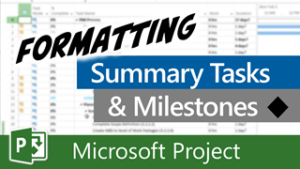
Automatically Format Summary Tasks and Milestones in Microsoft Project
In this blog post, learn how to rapidly format summary tasks and milestone tasks to make them “stand out” in Microsoft project.
·
-
How to View a Driving Dependency in Microsoft Project
In this blog post article, learn how to use the Task Path feature to display View a Driving Dependency. This includes Predecessors and Successors.
·
-

Custom Filter to Find eDays
Learn how to create a Custom Filter to Find eDays, also known as elapsed days or calendar days.
·
-
Force a Task to Start on a Specific Day of the Month
Learn how to Force a Task to Start on a Specific Day of the Month in Microsoft Project.
·
-
Force Check In Stuck Projects in Project Online or Project Server
In this blog post article, you will learn three different methods to Force Check In Stuck Projects in either Project Online or Project Server.
·
-

Fix Your Enterprise Global File
If you are an application administrator for your organization’s Project Online or Project Server instance, then this blog post article will teach you how to recognize and Fix Your Enterprise Global File.
·
-
Create a Custom Field to Calculate Percent Duration Variance in Microsoft Project
In this blog post article, you will learn step by step, how to create a custom field with a formula that will calculate the Percent Duration Variance for each task in your projects.
·
-
Finding Tasks Ahead of Schedule in Microsoft Project
In this blog post article, you will learn two clever tricks that will help you with Finding Tasks Ahead of Schedule.
·
-

Set Special Permissions for an Enterprise Project
Learn how to grant special permissions to another project manager in Project Online or Project Server. Follow these steps to easily accomplish the task.
·
-
Easily Edit the Enterprise Standard Calendar
In this blog post article, learn how to edit the enterprise Standard calendar in either Project Online or Microsoft Project Server.
·
-

How to Fix Corrupted Files in Project Online or Project Server
In this blog post article, you will learn the only method to fix corrupted files in Microsoft project in either Project Online or Project Server.
·