microsoft project
Learn Microsoft Project from Dale Howard, a 20 years Microsoft Project MVP. He’s authored +20 books on Microsoft Project, Project Online and Project Server. Learn Microsoft Project from the best!

Learn Microsoft Project from Dale Howard, a 20 years Microsoft Project MVP. He’s authored +20 books on Microsoft Project, Project Online and Project Server. Learn Microsoft Project from the best!
Efficiently manage multiple schedules. Compare the manual Insert Subproject method with the faster New Window feature in Microsoft Project.
·
Learn how to print a Microsoft Project schedule. Covers Gantt charts, print settings, PDF export, and one-page printing. By MVP Dale Howard.
·
Discover how to set task dependencies and learn about the various types, including adding Lag time and Lead time in Microsoft Project. Create a well-structured project schedule that accurately reflects task sequences with easy-to-follow steps and adaptability to suit your project’s unique requirements.
·
Add Saturdays & create a weekend work calendar in Microsoft Project. Step-by-step expert tips for accurate scheduling.
·
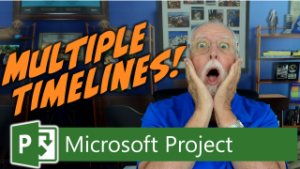
Want to learn how to create multiple project timelines for your Microsoft Project schedules? In this article, I will teach you two methods for creating multiple timelines.
·

Did you know you can have Microsoft projects without dates? Learn how to create a project in Microsoft Project that isn’t tied to specific dates. Remove dates and format the time scale bar for a date-free view.
·

In this blog post, we’ll explore the importance of displaying the Project Summary Task in Microsoft Project. Learn how to display it and maximize its use. Plus, I have a special bonus for you!
·

Learn how to hide the annoying yellow Project Online retirement banner in Project Center using a custom script. Includes PWA prerequisite settings.
·

Learn what Finish Variance means in Microsoft Project and how to interpret duration and cost variance using the Variance table—after properly baselining your schedule.
·

Master effort-driven scheduling in Microsoft Project. See how it controls work, duration & assignments—plus when to turn it on or off.
·
Learn how to create a 6-day work week in Microsoft Project, including how to make Saturday a working day using project and task calendars.
·

Learn how to add or hide columns in Microsoft Project (desktop), including why hiding a column doesn’t delete the field or its data.
·
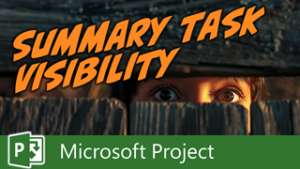
Learn how to hide summary tasks & detail tasks in MS Project. 3 proven methods to declutter your Gantt Chart fast — from a Microsoft MVP.
·
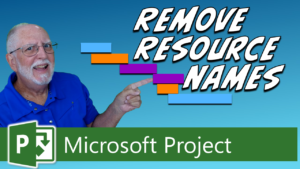
Learn how to remove resource names from gantt chart in Microsoft Project or hide them using two simple methods—without deleting resources.
·
In this blog post article, learn how to quickly create a milestone tasks in Microsoft Project in only two clicks of your mouse.
·