
-

What Is Effort-Driven Scheduling in Microsoft Project?
Learn what effort-driven scheduling means in Microsoft Project, how it affects work, duration, and assignments, and when you should use it.
·
-
How to Create a 6-Day Work Week in Microsoft Project
Learn how to create a 6-day work week in Microsoft Project, including how to make Saturday a working day using project and task calendars.
·
-
How to Print a Project Schedule: Step-by-Step Guide (Microsoft Project & PDF)
Struggling to prepare your project for printing or exporting to a PDF file? Learn how to print a project schedule step by step, achieving consistent and impressive results every time. Stick with me for the details! #ProjectManagement #PrintingTips
·
-
Remove Resource Names from Gantt Chart in Microsoft Project (Step-by-Step)
Learn how to remove resource names from Gantt chart in Microsoft project in under 2 minutes. Step-by-step + video (works in Project 2016–Microsoft 365).
·
-
Create a Milestone Task in Microsoft Project (2 Clicks)
In this blog post article, learn how to quickly create a milestone tasks in Microsoft Project in only two clicks of your mouse.
·
-
How to Customize Microsoft Project Ribbon and Quick Access Toolbar
Learn how to import a ribbon and Quick Access Toolbar customization file into Microsoft Project in this blog post. I’ll guide you step by step!
·
-
How to Create Hammock Tasks in Microsoft Project: Updated for 2026
Learn how to create hammock tasks in Microsoft Project and dynamically adjust its duration based on other tasks’ changes. Find out the requirements and follow the step-by-step guide in this comprehensive tutorial.
·
-
How to Hide Tasks in Microsoft Project (Without Deleting – Quick Filter Method)
Learn how to hide tasks in Microsoft Project with this helpful guide. Save time and stay organized by displaying only the tasks of interest for your project meetings or presentations.
·
-
Create a Master Project in Microsoft Project Online or Project Server
Learn how to create a master project in Microsoft Project Online or Project Server step-by-step. Follow this guide to efficiently manage your projects.
·
-
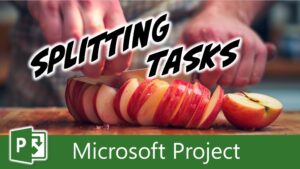
How to Use the Split Task Tool in Microsoft Project
Learn how to effectively split tasks in Microsoft Project using the Split Task tool. Follow our step-by-step guide to manage your project schedule efficiently.
·
-
Two Methods for Creating a Master Project in Microsoft Project
Creating a master project in Microsoft Project can help you efficiently manage multiple projects by combining them into a single, centralized file. In this post, I’ll show you two methods to create a master project. One method is a slower, manual method while the other method is a faster, streamlined approach. Let’s dive in! If…
·
-
How to Create and Assign Expense Cost Resources in Microsoft Project
Learn how to create and assign Expense Cost resources in Microsoft Project for accurate cost tracking. Follow these steps to manage your non-labor expenses effectively.
·
-
How to Use Budget Cost Resources in Microsoft Project
Learn how to create and assign Budget Cost resources in Microsoft Project with this step-by-step guide. Track expenses efficiently for your projects!
·
-
How to Enter Fixed Costs in Microsoft Project (A Simple, Clear Guide)
Learn how to accurately track project expenses by entering fixed costs in Microsoft Project. Follow these steps for precise cost tracking. #projectmanagement #fixedcosts
·
-
How to Schedule a Project Using a Known Start Date in Microsoft Project
Learn how to schedule a project using a known start date based on a specific task in Microsoft Project. Use clever techniques and reverse the scheduling engine for success!
·